

Mar
If you live in Pakistan, WhatsApp isn’t just an app; it is the absolute center of digital communication. From family groups and university coordination to sending a voice note to the local darzi (tailor) or grocery store, everything happens on this platform. But every so often, you hit a brick wall: you need to text someone, and they hit you with, “I don’t use WhatsApp, can you email me or use Signal?” Historically, that meant you had to switch apps, send a standard SMS, or convince them to download a 50MB application just to have a five-minute conversation. Not anymore.
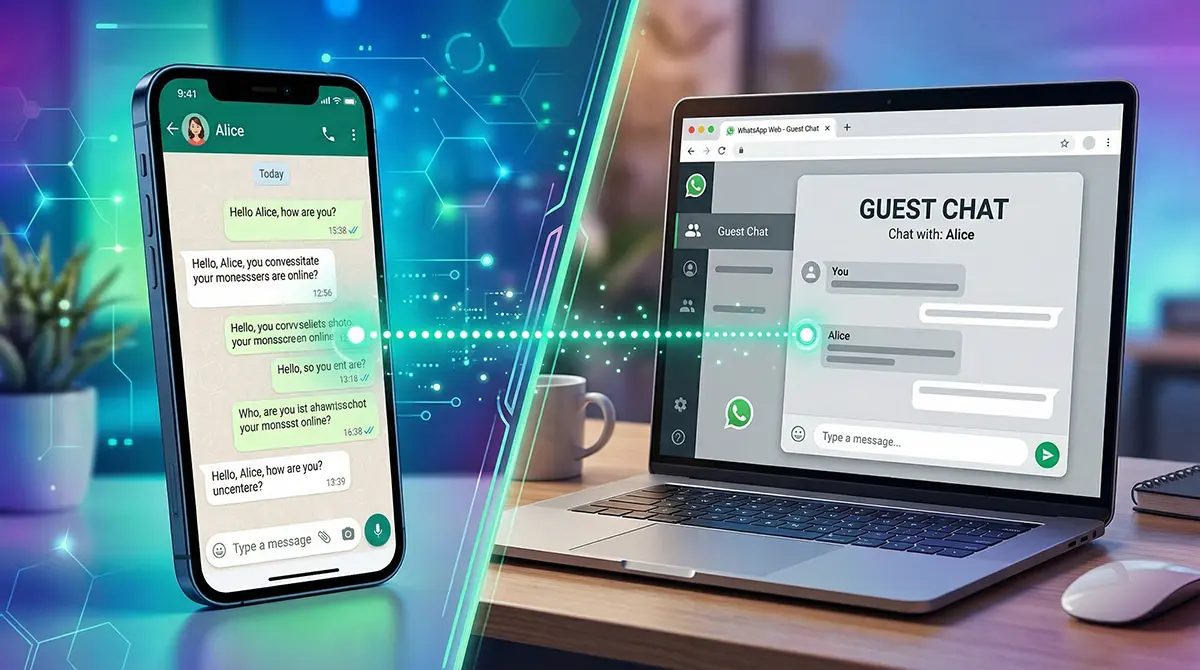
The wall is finally coming down. Meta is actively rolling out the whatsapp beta guest chat feature, a groundbreaking update that allows you to message people who don’t even have the app installed. By simply sharing a link, non-users can jump into a secure, encrypted conversation with you right from their web browser.
In this article, we are going to dive deep into how this feature works, the security implications, its current limitations, and why this is a massive game-changer for general and tech-savvy users across Pakistan.
What Exactly is the WhatsApp Guest Chat Feature?
For the last decade, WhatsApp has operated strictly as a “walled garden.” If you wanted to play in the garden, you had to create an account, register your phone number, and download the software. The new guest chat functionality completely rewrites those rules.
Breaking Down the “Walled Garden”
Spotted recently in the Android and iOS beta versions (specifically around version 2.25.22.13), this feature is officially known as “Guest Chats.” It allows an existing WhatsApp user to generate a unique, secure URL. When a non-user clicks this link, they are seamlessly bridged into the WhatsApp ecosystem without having to visit the Google Play Store or Apple App Store.
A Seamless Bridge to WhatsApp Web
Instead of a native app experience, the recipient interacts with you via a modified version of WhatsApp Web on their mobile or desktop browser. It is designed to be completely frictionless. You get the convenience of keeping all your chats organized inside your primary WhatsApp application, while the other person gets the convenience of a quick, temporary web chat. It is a win-win that bridges the gap between different digital preferences.
How Does the WhatsApp Guest Chat Work? (Step-by-Step)
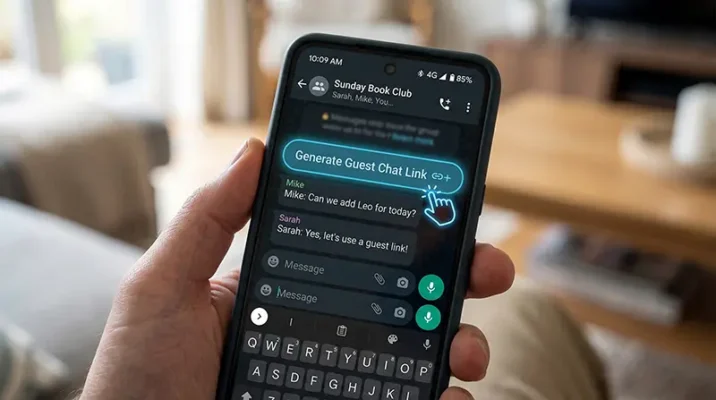
If you are wondering how this magic trick actually functions in real-time, it is surprisingly straightforward. Meta has engineered the user experience to be as intuitive as sending a YouTube link. Here is the step-by-step breakdown of how the whatsapp beta guest chat feature operates.
Generating and Sharing the Invite Link
The power stays in the hands of the registered WhatsApp user. Inside your app, you will navigate to the “Invite a friend” section or scroll to the bottom of your contacts list. Here, the app generates a unique, secure chat link. You can copy this URL and fire it off via a traditional SMS, an email, iMessage, or even a direct message on Instagram or X (formerly Twitter).
The Non-User Experience: Joining as a Guest
When your friend (or client) clicks the link, their default web browser opens. They are immediately presented with a fork in the road: “Download WhatsApp” or “Continue as Guest.” If they choose the guest route, they are prompted to enter a name. This doesn’t have to be their legal name; a pseudonym works just fine, though it’s best to use a recognizable name to avoid confusion. Once they accept the Terms of Service, a browser-based chat window opens, and they can instantly start typing.
The Interface: Spotting the “Guest” Label
To prevent impersonation and confusion, WhatsApp has built-in clear visual indicators. On your end (inside the app), the chat will prominently display the word “Guest” in the top app bar and within the chat interface itself. The app explicitly highlights that this user is not registered with WhatsApp. Furthermore, while the guest uses a temporary name, they will be able to see your registered phone number, ensuring transparency about who they are communicating with.
Security First: Are Guest Chats Actually Private?

In Pakistan, where digital privacy is a growing concern, the immediate question for any tech-oriented user is: “If they are just using a web link, is the chat still secure?” The short answer is yes, but with a few important caveats you need to be aware of.
End-to-End Encryption Maintained
WhatsApp built its reputation on End-to-End Encryption (E2EE), and they haven’t compromised it here. When the guest joins the conversation via the browser, WhatsApp Web instantly generates a unique cryptographic identifier that acts as the session’s encryption key. This means the messages are locked. No one outside the chat—not your ISP, not the Pakistani telecom regulators, and not even WhatsApp or Meta themselves—can read the contents of the conversation.
The Catch: Unverified Identities and Link Risks
While the data is secure, the identity of the guest is not verified. Because the guest doesn’t need an account or an OTP (One-Time Password) to log in, anyone who possesses the link can join the chat. If you email the invite link to a client, but their email gets hacked, the hacker could click the link and join the chat under the guise of your client. WhatsApp cannot verify who is sitting behind the browser. Therefore, you must be incredibly cautious. Treat the invite link like a digital house key—don’t share it publicly, and always verify the person’s identity before discussing sensitive information.
The Big Trade-Offs: What You CAN’T Do in Guest Mode
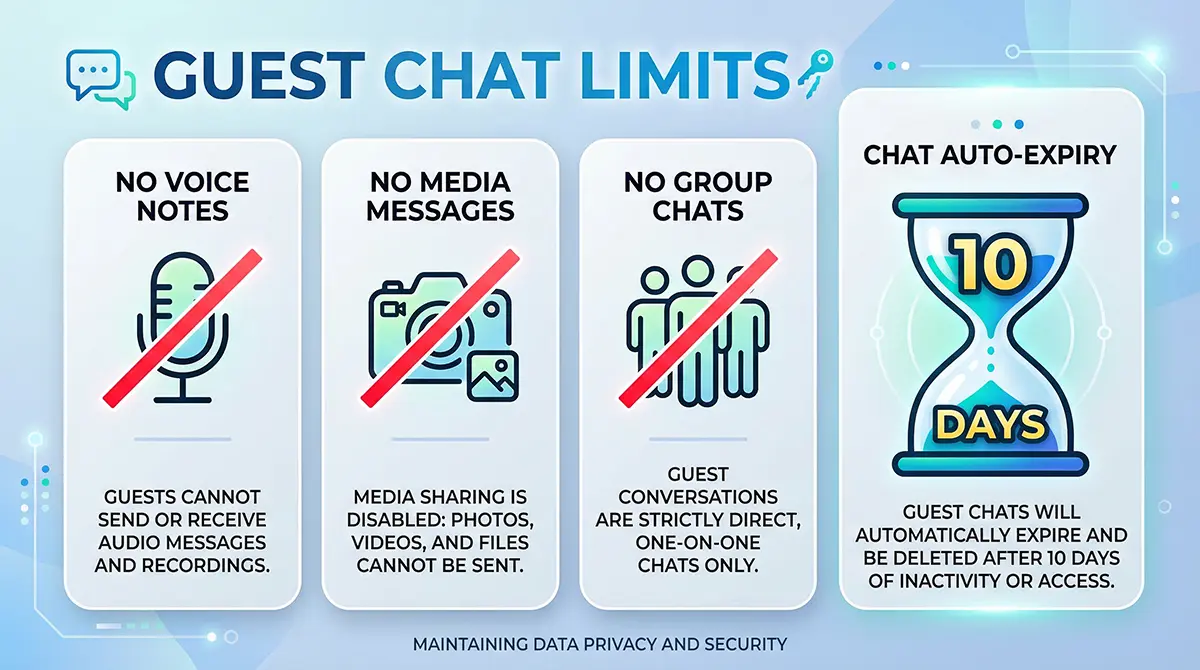
Because this is designed as a temporary bridge rather than a full replacement for the app, Meta has deliberately kneecapped the functionality of Guest Chats. If you are expecting the full WhatsApp experience, you will need to temper your expectations.
A Strictly Text-Only Zone (No Voice Notes!)
Pakistanis love voice notes. It is arguably the most used feature in the country for quick communication. Unfortunately, the whatsapp beta guest chat feature does not support them. Guest chats are limited to basic, plain-text messaging. This means:
- No Media: You cannot send photos, videos, or documents.
- No Fun Stuff: Stickers and GIFs are completely disabled.
- No Calls: Voice calls and video calls are off the table.
- No Groups: This is strictly a 1-on-1 communication channel. Group chats are not supported.
The 10-Day Expiry Clock
Guest chats are ephemeral by design. After 10 days of inactivity, the chat session automatically expires and is permanently locked. If you want to talk to that same person on day 11, you will have to generate a brand new link and start the process over. Furthermore, guests relying on browsers often miss out on push notifications, meaning they have to manually keep the tab open or refresh it to see your replies.
Why is Meta Opening the Gates Now?
For a company that has fiercely protected its ecosystem, allowing third-party interoperability and guest access seems out of character. So, what pushed Meta to make this move? It comes down to a mix of international law and clever business strategy.
The European Union’s Digital Markets Act (DMA)
The primary catalyst for this shift is the EU’s Digital Markets Act (DMA), which went into effect recently. The DMA designated massive platforms like Meta as “gatekeepers” and legally mandated them to open up their messaging apps to third-party interoperability. While Meta has struggled to integrate fully with apps like Telegram or Signal due to complex encryption hurdles (like the Noise Protocol Framework), creating a secure, browser-based “Guest” bridge allows them to show regulators they are making their platform accessible to non-users.
The Ultimate User Acquisition Funnel
Beyond legal compliance, this is a brilliant marketing tactic. WhatsApp already has over 2 billion users, but growth eventually plateaus. By offering non-users a taste of the platform via a frictionless web link, Meta is subtly onboarding them. After a few days of chatting via a clunky web browser with no media sharing, the guest is heavily incentivized to just click the “Download App” button to get the full, feature-rich experience. It is the ultimate try-before-you-buy funnel.
What This Means for Users in Pakistan

While the DMA is an European law, the rollout of this beta feature is global, and it has distinct, practical applications for the Pakistani market.
Freelancers and International Clients
Pakistan boasts one of the largest freelance economies in the world. Often, local developers, designers, and writers deal with clients in the US or East Asia who prefer using iMessage, Slack, or WeChat, and outright refuse to download WhatsApp. With this feature, a Pakistani freelancer can easily generate a link and drop it into a client’s email. You get to keep your client communications centralized on your primary app, while the client gets a frictionless way to reach you instantly.
Temporary Conversations and Privacy
Think about everyday local logistics. Sometimes you need to chat with a Careem driver, a Foodpanda rider, or someone selling an item on OLX, but you don’t necessarily want them saving your number or you saving theirs long-term. While the guest can see your number, this feature provides a highly disposable, 10-day temporary chat window. You can easily block the guest once the transaction or delivery is complete, keeping your digital space tidy and free from clutter.
Quick Takeaways
If you are just skimming, here are the core facts you need to know about the new update:
- No App Required: WhatsApp users can now message non-users via shareable web links.
- Browser-Based: Guests chat entirely through a WhatsApp Web browser interface.
- Secure: The chats retain end-to-end encryption to protect message contents.
- Text Only: Guests cannot send or receive voice notes, photos, videos, or calls.
- Auto-Expiry: The conversation automatically expires after 10 days of inactivity.
- Visual Warnings: WhatsApp clearly labels unregistered users as “Guests” to prevent impersonation.
Conclusion
The introduction of the whatsapp beta guest chat feature marks a historic shift for the world’s most popular messaging app. By tearing down its walled garden, Meta is acknowledging a simple truth: communication should be frictionless, regardless of what apps you have installed on your phone.
For the tech-oriented and general population of Pakistan, this update brings a new layer of convenience. Whether you are a freelancer trying to accommodate an international client, or just someone looking for a temporary way to text a service provider without forcing an app download, Guest Chats offer a brilliant, albeit limited, solution. While the lack of voice notes and media sharing is a trade-off, the maintenance of end-to-end encryption ensures your privacy remains intact.
As this feature moves from beta testing to a wider public release, it will be fascinating to see how it reshapes digital communication habits. Keep your app updated, and get ready to start sending those invite links!
References
- WABetaInfo (March 2026). WhatsApp is rolling out guest chats on Android and iOS. Retrieved from WABetaInfo’s official beta tracking updates.
- The Indian Express (March 2026). WhatsApp introduces ‘guest chats’ on Android, iOS and web versions. Details regarding the step-by-step functionality and encryption limits.
- ProPakistani (March 2026). WhatsApp’s New Feature Lets You Chat With People With No WhatsApp. Contextual reporting on app updates and temporary chat limitations.
- MakeUseOf (March 2026). You can now join a WhatsApp chat without the app and it’s still private. Technical analysis of WhatsApp’s interoperability and 10-day expiration policy.

WhatsApp Breaks the Wall: Message Other Apps Seamlessly
Discover how the new WhatsApp third-party chats update lets you message users on other apps. Learn about the EU DMA, setup, and what it means for Pakistan.
Mar

WhatsApp Premium Pakistan: The Shocking €4 Ad-Free Subscription Truth (2026)
Is WhatsApp Premium coming to Pakistan? Discover the truth about the new €4 ad-free subscription, the "Pay or Consent" model, and why Pakistani users might be stuck with ads in 2026.
Feb

Clawdbot (Moltbot) Explained: The ‘Claude AI’ Agent Taking Control of WhatsApp
Discover Clawdbot (Moltbot), the new open source Claude AI agent that connects to WhatsApp. Learn about its root access, automation capabilities, and the security risks involved.
Jan
Frequently Asked Questions (FAQs)
No. Guest chats are strictly limited to plain text messaging. Voice notes, photos, videos, documents, and voice/video calls are currently disabled for unregistered users.
No, the guest does not need to provide a phone number. They only need to enter a name (which can be a pseudonym) before joining the chat. However, the guest will be able to see the phone number of the registered WhatsApp user who invited them.
Yes, the messages are protected by End-to-End Encryption. WhatsApp generates a unique session key for the browser. However, because identities aren’t verified, anyone who gets hold of your invite link can join, so you must share the link carefully.
Guest chats are temporary and will automatically expire after 10 days of inactivity. If the chat expires, the registered user will need to generate and send a new invite link.
Currently, the feature is in its beta testing phase (available to a limited number of Android and iOS beta testers). Meta has not announced an official global release date yet, but beta features typically roll out to the general public within a few months.
We Want to Hear From You!
What do you think about WhatsApp finally letting non-users into the chat? Will you be using this to talk to international clients, or do you think the lack of voice notes makes it useless for Pakistanis?
Drop your thoughts in the comments below, and don’t forget to share this article with your friends and family who are always complaining about app downloads!
