

Games
Lossless Scaling Review: The Ultimate $7 Savior for Low End PC Gaming
Jan
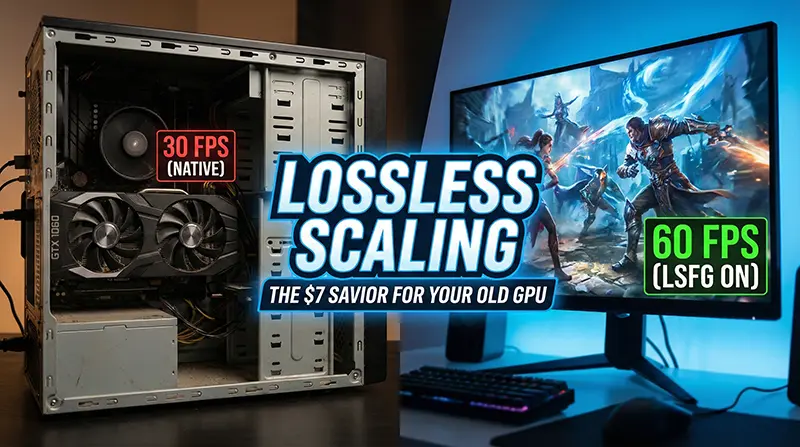
Lossless Scaling is quickly becoming the most essential tool for PC gamers in 2026. If you are tired of struggling with low frame rates on a budget rig, this $7 utility might be the only upgrade you need.
Let’s face it: The era of the “Budget PC Build” is on life support. With rumors of the RTX 5090 hitting an absurd $5,000, NVIDIA pushing for subscription-based GPUs, and RAM prices spiraling out of control due to AI demand, the average gamer is stuck. We are being priced out of the hobby we love.
If you are sitting there with a GTX 1060, RX 580, or a GTX 1650, wondering how you’re going to play GTA VI or Monster Hunter Wilds, you have two options:
-
Spend your life savings on a scalped GPU.
-
Spend $7 on a piece of Steam software that might just save your rig.
Enter Lossless Scaling, the utility that is quietly becoming the low end PC gamer’s secret weapon.
What is Lossless Scaling?
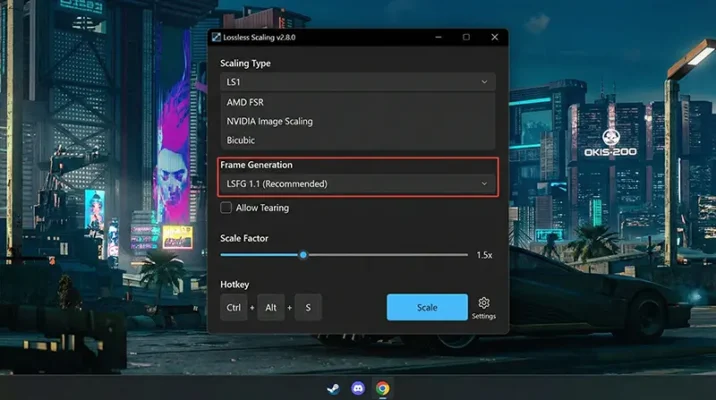
Lossless Scaling is a third-party tool available on Steam (approx. 2000 PKR / $7).
While industry giants like NVIDIA and AMD lock their best features (like DLSS 3 Frame Gen) behind their newest, most expensive cards, Lossless Scaling is entirely hardware agnostic.
This means the software doesn’t care if you have a cutting-edge RTX 4090 or a dusty GTX 1060. It works on everything. It acts as a universal game booster PC tool, bridging the gap between old hardware and modern game demands.
Note: Unlike FSR or DLSS, which require game developers to implement them, this tool works on any windowed game.
The Magic: LSFG and “Fake Frames”
According to a detailed analysis by Gamers Nexus, the tool’s standout feature is LSFG (Lossless Scaling Frame Generation).
Most gamers know “Frame Gen” as an exclusive feature for the RTX 40-series. Lossless Scaling brings this technology to the masses, allowing you to boost FPS without upgrading your graphics card.
How It Works
-
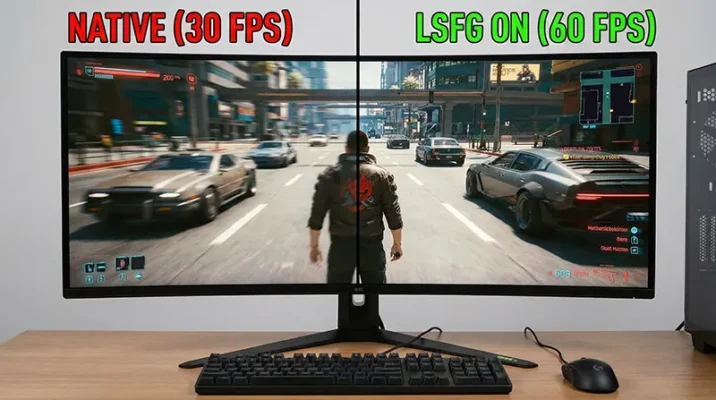
The Concept: It takes the real frames your GPU renders (say, 30 FPS) and inserts “generated” intermediate frames between them.
-
The Result: That choppy 30 FPS suddenly looks like a smooth 60 FPS (2x Mode) or even 90 FPS (3x Mode).
As Gamers Nexus notes, this is done via post-processing. The tool captures the image after your game renders it, scales it up, and injects new frames before sending it to your monitor.
Why You Need This Tool in 2026
We recently covered how corporations are trying to move us toward a “subscription future” where you own nothing. They want your old hardware to feel obsolete so you are forced to upgrade or rent via the cloud.
Lossless Scaling fights back against this. It allows you to squeeze an extra 1-2 years of life out of your current graphics processing unit.
Real-World Scenarios
-
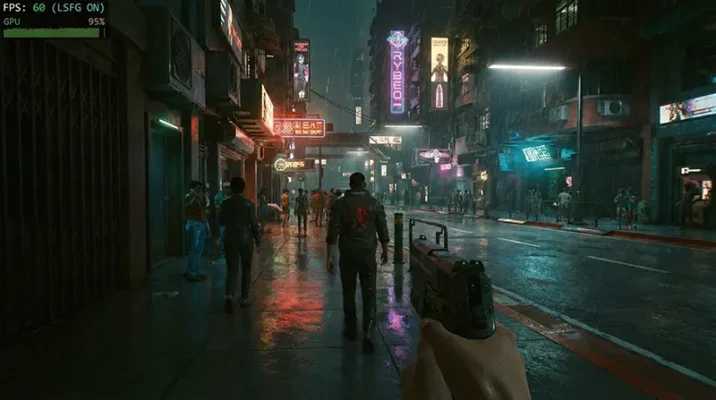
Cyberpunk 2077: Playing on a GTX 1060? Use this to turn a jagged 30 FPS into a visually playable experience.
-
Handheld Gaming: If you own a Steam Deck or ROG Ally, this tool is practically essential for demanding titles where battery life and performance are critical.
-
Budget Gaming: For the price of a lunch (2000 PKR), you get a performance uplift that usually costs hundreds of dollars in hardware upgrades.
The Reality Check: Input Lag and Ghosting
While the tool is impressive, Gamers Nexus highlights that it isn’t perfect. To get the best results, you need to manage your expectations regarding input lag and visual artifacts.
1. Latency (Input Lag)
Because the tool generates frames after the game works, it doesn’t make your mouse feel faster. It makes the game look smoother, but the input lag will still feel like the lower base framerate.
Tip: It works best if you can already hit at least 30-40 FPS natively.
2. Visual Artifacts (“Ghosting”)
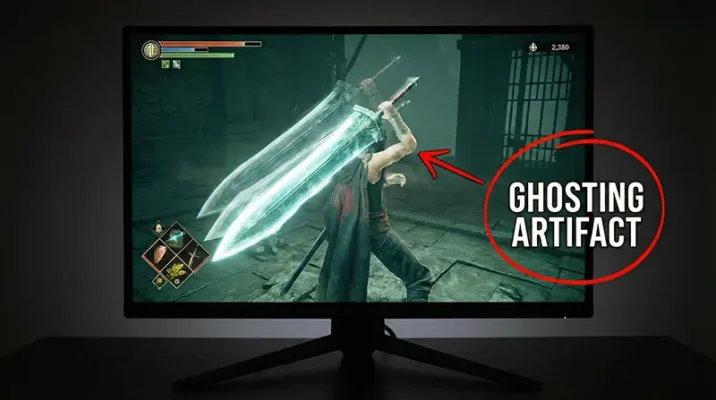
In fast-motion scenes (like a rapid camera spin in a shooter), you might see “tearing” or ghosting around your character. As tests in Final Fantasy 16 showed, fast objects like spears can sometimes look like they are splitting in two.
3. UI Glitches
Since the tool doesn’t know the difference between the game world and the HUD, your health bars or subtitles might shimmer or wobble slightly.
Verdict: Is It Worth the Money?
Is Lossless Scaling as good as native DLSS 3? No.
Is it worth $7 (2000 PKR) to revitalize a GPU you bought 6 years ago? Absolutely.
In a market where upgrading your PC costs as much as a used car, tools like Lossless Scaling are a lifeline. It won’t turn a potato into a supercomputer, but it keeps you in the game—and right now, that is all that matters.
SOURCE
Gamers Nexus
Frequently Asked Questions (FAQs)
Yes. Unlike DLSS or FSR, which must be built into the game by developers, Lossless Scaling works on virtually any game that can be run in Windowed or Borderless Windowed mode. It is a universal tool for your Steam gaming library.
Absolutely. It is designed specifically for low end PC builds. It helps older GPUs like the GTX 1060 or RX 580 achieve higher frame rates in demanding titles like Cyberpunk 2077.
Yes, there is a slight increase in input lag. Because the tool generates frames after the game processes your input, the game will look smoother (e.g., 60 FPS) but feel like the base framerate (e.g., 30 FPS). It is not recommended for competitive shooters like CS2 or Valorant.
No, it is a paid utility on Steam that costs approximately $7 (around 2000 PKR). There is no official free version, though many users consider it the best budget upgrade for their rig.
Ghosting (visual artifacts) often happens if your base framerate is too low. For the best experience, try to lower your in-game settings to achieve a stable 30-40 FPS before activating the LSFG (Frame Generation) feature. This gives the software better data to work with.
Yes. If you have a 60Hz monitor, you can lock your game to 30 FPS and use the “x2” mode to generate a smooth 60 FPS output. This is a common strategy for budget gaming setups.
