

News
The Overclocking Endgame: Nvidia New 595.71 Driver Quietly Nerfs RTX 50-Series Voltages

Mar
Welcome to the bleeding edge of PC hardware, where a single software update can turn your powerhouse rig into a restricted machine. For those who invest heavily in top-tier graphics cards, the expectation is absolute freedom—the ability to push clock speeds, tweak voltages, and squeeze every last drop of performance out of the silicon. But if you are running one of the new Blackwell cards, that freedom just hit a massive roadblock.
The Nvidia 595.71 Driver, released in early March 2026, was supposed to be a hero. It was designed to fix a catastrophic fan-stopping bug from the previous 595.59 update and provide day-one optimizations for Resident Evil Requiem. Instead, it has introduced a silent, controversial change: a strict voltage and clock speed cap on the RTX 50-Series GPUs. Whether you are a hardcore gamer chasing high frame rates, a data scientist running complex Python prediction models, or a digital artist rendering high-resolution AI art, this update directly impacts your hardware’s potential. We are going to dive deep into what this driver actually does, why the enthusiast community is in an uproar, and what it means for the local hardware scene from Karachi to Lahore.
What Actually Happened with the Nvidia 595.71 Driver?
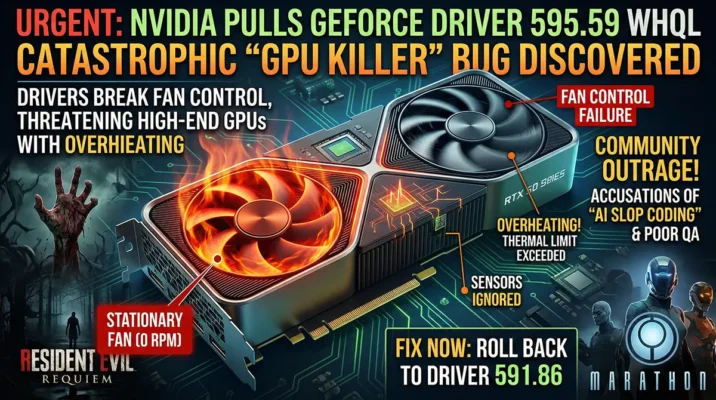
To understand the frustration surrounding the Nvidia 595.71 Driver, we have to look at the mess it was trying to clean up. Just a few days prior, Nvidia released driver 595.59. It was highly anticipated, primarily because it brought much-needed optimizations and DLSS 4 support for a massive AAA title. However, the release was pulled almost immediately. Users across Reddit and Nvidia’s official forums reported that hardware monitoring software failed to detect GPU fans, and worse, the fans completely stopped spinning under heavy loads.
The Ghost of Driver 595.59
A GPU without active cooling is a ticking time bomb. With high-end components drawing massive amounts of power, a dead fan can quickly lead to thermal throttling or permanent hardware damage. Nvidia acted swiftly, pulling 595.59 and urging users to revert to older versions. The community waited with bated breath for a hotfix. When 595.71 dropped, the patch notes proudly declared that the fan issues were fixed, alongside resolving some green artifacts in Total War: THREE KINGDOMS and black bars in The Ascent for RTX 50-series cards.
The “Fix” That Broke the Clocks
However, the supposed fix came with a hidden cost. Early adopters who installed the new driver noticed something strange when they booted up MSI Afterburner or HWiNFO. Their carefully tuned overclocking profiles were suddenly ineffective. Independent testing by outlets like Wccftech and TechPowerUp quickly confirmed the community’s suspicions: Nvidia had quietly implemented a hard limit on power delivery. This wasn’t documented in the release notes. For users who had spent thousands of rupees on premium AIB (Add-In Board) models like the MSI Suprim X or ASUS ROG Strix, the realization that their factory overclocks were now moot was a bitter pill to swallow. The driver essentially forces these premium cards to operate at baseline reference specifications, neutralizing the very reason enthusiasts pay extra for high-end cooling and power delivery systems.
Unpacking the RTX 50-Series Voltage Nerf
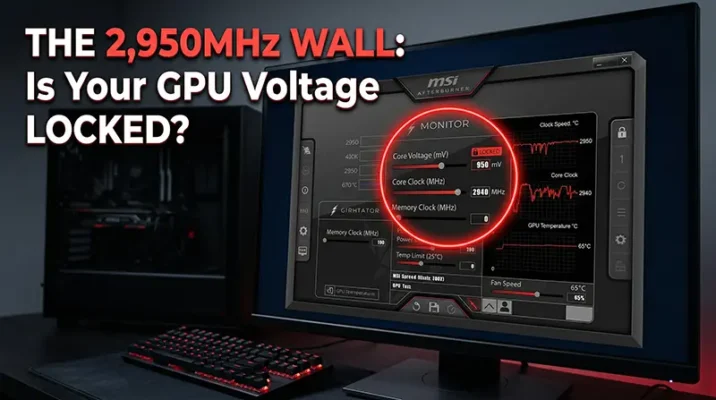
The technical details of this nerf are where things get truly concerning for power users. Historically, overclocking an Nvidia GPU involved increasing the core voltage to sustain higher clock frequencies. The Blackwell architecture, while incredibly efficient, still relies on this fundamental principle.
Sub-3GHz Speeds: A Hard Ceiling
Before the 595.71 Driver update, a well-cooled RTX 5090 could easily push past the 3,100MHz mark. Enthusiasts were seeing sustained boost clocks of 3,150MHz and beyond in synthetic benchmarks like FurMark and Unigine Heaven. But post-update, users are hitting a brick wall. No matter how aggressively you slide the core clock offset in MSI Afterburner, the driver aggressively throttles the frequency. Most cards are now struggling to maintain even 2,985MHz, with many settling stubbornly around the 2,950MHz range. That sub-3GHz ceiling is a psychological and physical barrier that directly translates to lost performance.
The 0.95V to 1.01V Trap
The root cause of this frequency throttling is a strict lock on the GPU core voltage. Prior stable drivers, such as 591.86, allowed the card to draw up to 1.050V under load, providing the necessary electrical headroom for those extreme clocks. The new driver clamps this voltage down to a narrow window between 0.950V and 1.010V. Even if you max out the power limit slider to 110% or 120%, the driver refuses to let the silicon drink the juice it needs. It behaves exactly like an aggressive undervolt, but one that you cannot opt out of. For users running custom water-cooling loops designed to dissipate 600W+ of heat, this artificial limitation makes their expensive thermal setups practically redundant. It’s a classic case of software arbitrarily limiting hardware capability.
The Real-World Impact on Gamers and Power Users
Synthetic benchmarks are one thing, but how does this translate to actual daily use? The performance regressions are real, and they affect a wide spectrum of users, from competitive gamers to professional creators.
Frame Rate Drops in Resident Evil Requiem
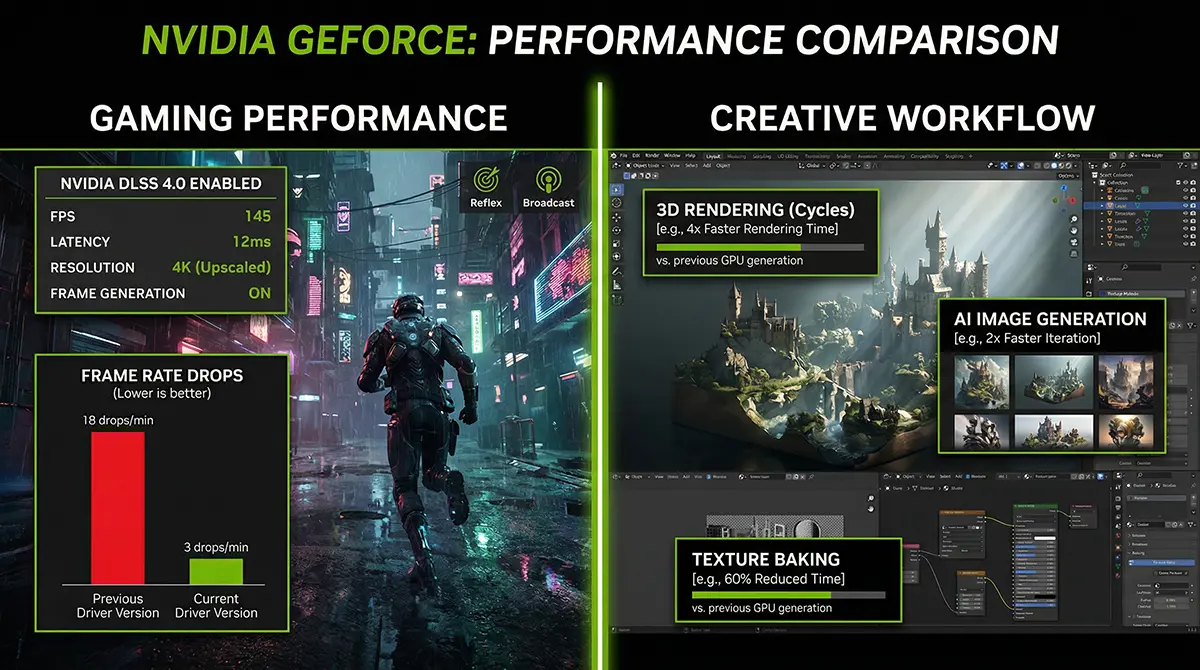
Ironically, the game this driver was meant to champion is one of the hardest hit. Resident Evil Requiem, running with advanced path tracing and DLSS 4 enabled, is a heavy workload. Gamers who were comfortably hitting 110 FPS with older drivers on their RTX 4080 Super and 5080 cards suddenly found their performance tanking to the low 90s. Some tech channels demonstrated up to a 16% performance drop in side-by-side comparisons. When your graphics card is artificially restricted from reaching its peak voltage, frame pacing suffers, 1% lows drop significantly, and the overall fluidity of the gaming experience is compromised. “
Why Heavy Workloads and AI Art Generation Suffer
But gaming is just one piece of the puzzle. The modern PC enthusiast is often a multifaceted creator. If you are leveraging massive datasets for forecasting models, extracting data via SQL to visualize in Tableau, or running heavy neural networks for CCTV footage analysis, GPU compute power is your greatest asset. When you lock a GPU’s voltage and lower its clock speed, you directly increase the time it takes to process these compute-heavy tasks. The impact is intensely felt in the world of generative AI. For digital artists offering custom artwork or upscaling services, time is literally money. Running models locally requires massive VRAM and sustained high clock speeds to generate artifact-free, high-quality images quickly. This silent nerf means batch rendering takes longer, decreasing productivity and tying up the machine. When your hardware is artificially held back, the efficiency of your entire workflow takes a hit.
Behind the Scenes: Why Would Nvidia Restrict Voltage?
Nvidia rarely makes such drastic changes without a reason, even if they choose not to disclose it publicly in the release notes. The community has been actively theorizing about the motivations behind this silent nerf.
The 12V-2×6 Connector Overheating Theory
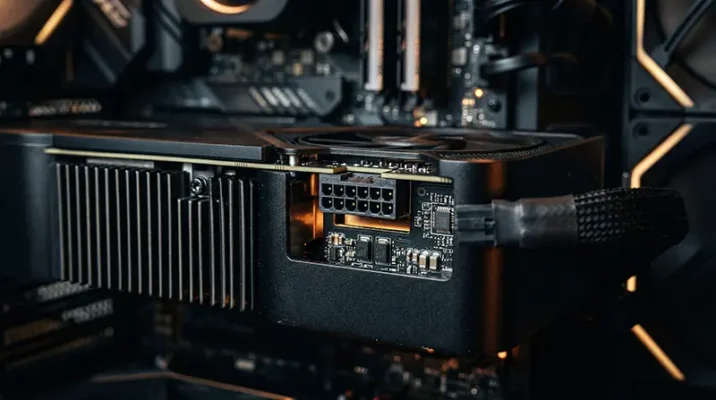
The most plausible explanation centers around the controversial 12V-2×6 power connector. Despite revisions from the older 12VHPWR standard, reports of melted connectors haven’t entirely disappeared. Just weeks before this driver release, there were isolated but loud reports of RTX 5090 connectors melting, even when power limits were allegedly restricted. The theory is that Nvidia, spooked by potential widespread RMAs and bad PR, used the 595.71 Driver as a stealth intervention. By hard-capping the voltage, they drastically reduce the maximum power spikes (transient loads) the card can pull through that fragile connector. It’s a brute-force software band-aid for a hardware engineering concern.
Planned Obsolescence or Safety Measure?
There is also a more cynical view circulating in hardware forums. With rumors of the RTX 60-series mass production moving to 2028, some users suspect Nvidia is artificially segmenting performance to maintain the perceived value of future releases. However, the safety angle is far more likely. Nvidia is likely gathering telemetry data from this driver release to see if lowering the voltage threshold reduces the incidence of hardware failure. While treating the consumer base as beta testers for safety protocols is frustrating, a slightly slower card is undeniably better than a card that catches fire. Still, the lack of transparency is what has truly eroded trust among the enthusiast base.
How the Pakistani PC Market is Reacting
The ripples of this driver update have reached far beyond Silicon Valley, heavily impacting the vibrant tech communities in South Asia. In Pakistan, the PC hardware market operates with a unique set of challenges and dynamics.
In a market where the Rupee’s volatility makes importing high-end electronics a luxury, maximizing the lifespan and performance of PC hardware is crucial. Pakistani tech enthusiasts don’t just game; they build multipurpose rigs. A single machine is often used to edit videos, run Python scripts to automate data tasks, and game at 4K on the weekends. Because hardware is such a massive financial investment here, software updates that artificially limit that investment feel particularly punitive. Local tech blogs and tech enthusiast groups are flooded with tutorials on how to bypass the update, proving that the Pakistani tech community is highly resilient and unwilling to accept performance left on the table.
Should You Roll Back to Older Drivers?
Given the widespread reports of performance degradation, the immediate question is how to proceed. For the vast majority of RTX 50-series owners, staying on the 595.71 driver is not ideal unless you are experiencing specific game-breaking bugs that it addresses.
The Case for Driver 591.86
The general consensus among power users is to roll back to the Nvidia 591.86 WHQL driver. This version represents the last stable release before the 595 branch introduced the fan monitoring bugs and subsequent voltage locks. On 591.86, your card will retain its ability to scale past 1.03V and comfortably hit those 3,100MHz+ boost clocks. It provides the full, unadulterated performance you paid for. However, rolling back means sacrificing day-one optimizations for newer titles and potentially missing out on specific bug fixes for video decoding or minor artifacts.
How to Safely Clean Install Your Drivers (DDU)
If you decide to revert, you cannot simply install the older driver over the new one; this often leads to registry conflicts and deeper instability. You must use Display Driver Uninstaller (DDU).
- Download DDU and the 591.86 driver installer.
- Disconnect your PC from the internet to prevent Windows Update from automatically interfering.
- Boot your PC into Safe Mode.
- Run DDU and select “Clean and restart.”
- Once rebooted into normal Windows, install the 591.86 driver.
- Reconnect to the internet and reapply your MSI Afterburner overclocks.
This clean installation ensures that the hidden power governing parameters introduced in 595.71 are completely wiped from your system, restoring your GPU’s full potential.
Quick Takeaways
- The Problem: The Nvidia 595.71 driver introduces an undocumented voltage cap (0.95V – 1.01V) on RTX 50-Series GPUs.
- The Result: Clock speeds are artificially limited to sub-3GHz levels, nullifying manual and factory overclocks.
- Performance Hit: Users are seeing up to a 16% drop in frame rates in heavy titles and slower compute times for AI and data rendering tasks.
- The Suspected Cause: Nvidia may be using this software lock to prevent power spikes and protect the fragile 12V-2×6 power connectors from overheating.
- The Solution: Enthusiasts are highly advised to use DDU to clean install the older, more stable 591.86 driver to restore full hardware capability.
The Overclocking Endgame: Conclusion
The saga of the Nvidia 595.71 Driver is a stark reminder of who truly controls the hardware in our PCs. You may own the physical graphics card, but the firmware and drivers dictate exactly how it behaves. While fixing the critical fan failure issue of the previous release was necessary, quietly handicapping the RTX 50-series with a strict voltage cap feels like a betrayal of the enthusiast community’s trust. Whether this is a temporary safety measure to protect the 12V-2×6 connector or a permanent shift in Nvidia’s power management philosophy remains to be seen.
For gamers and professionals globally—and particularly in regions like Pakistan where hardware investments are monumental—who rely on every ounce of compute power for demanding tasks, this restriction is a tangible loss of value. The immediate workaround is a clean rollback to driver 591.86, but the community must continue to press Nvidia for transparency. When you buy premium, you deserve premium performance, unrestricted by silent software limiters.
References
- Wccftech – “NVIDIA’s Latest Drivers Might Be Restricting Voltages on RTX 50 GPUs.” (March 2026).
- TechPowerUp – “NVIDIA GeForce v595.71 Drivers Reportedly Restricts Voltage on RTX 50 Series GPUs.” (March 2026).
- Tom’s Hardware – “Nvidia releases new GeForce 595.71 driver to fix serious fan control bug.” (March 2026).
- Nvidia Official Forums – “GeForce GRD 595.71 Feedback Thread.” (March 2026).
URGENT: Nvidia Pulls GeForce Driver Over GPU Killer Bug
Nvidia has pulled GeForce driver 595.59 due to a critical fan bug that overheats GPUs. Stop gaming and learn how to rollback your driver to save your PC immediately.
Mar

Nvidia 6G AI: The Blueprint for a Physical AI World
Discover how Nvidia 6G AI and global telecom giants are building an AI-native 6G network for Physical AI. Learn what this tech revolution means for Pakistan.
Mar
Frequently Asked Questions (FAQs)
While the strict sub-3GHz voltage lock seems primarily targeted at the RTX 50-series (Blackwell architecture), some RTX 40-series users have reported overall performance drops and lower power draw. However, the hard voltage cap is most prominent on the 50-series.
No, driver 591.86 still supports DLSS 4. The 595.71 driver mainly added specific game-ready profiles for newer titles utilizing the technology, but the core feature functions perfectly well on the slightly older stable release.
Nvidia has not officially commented on whether this is a permanent safety measure or a temporary bug in their power curve implementation. Until they release a statement or a new driver addressing it, the limit remains active on 595.71.
Currently, no. The Nvidia driver-level limit overrides software overclocking tools. Even if you push the sliders to the maximum in MSI Afterburner, the driver will aggressively throttle the voltage back down to the 0.95V – 1.01V range.
Yes, but you should ensure the cable is fully seated and not bent at extreme angles near the connector head. If you are concerned about power spikes, you can manually set a reasonable power limit (e.g., 90%) in Afterburner on driver 591.86 to maintain safety without sacrificing peak clock speeds.
Join the Conversation!
Are you currently running the 595.71 driver? Have you noticed a drop in your system’s performance, or has it fixed stability issues for you? Let me know your experience in the comments below, and don’t forget to share this article with your fellow PC builders so they don’t fall into the voltage trap!
