

Mar
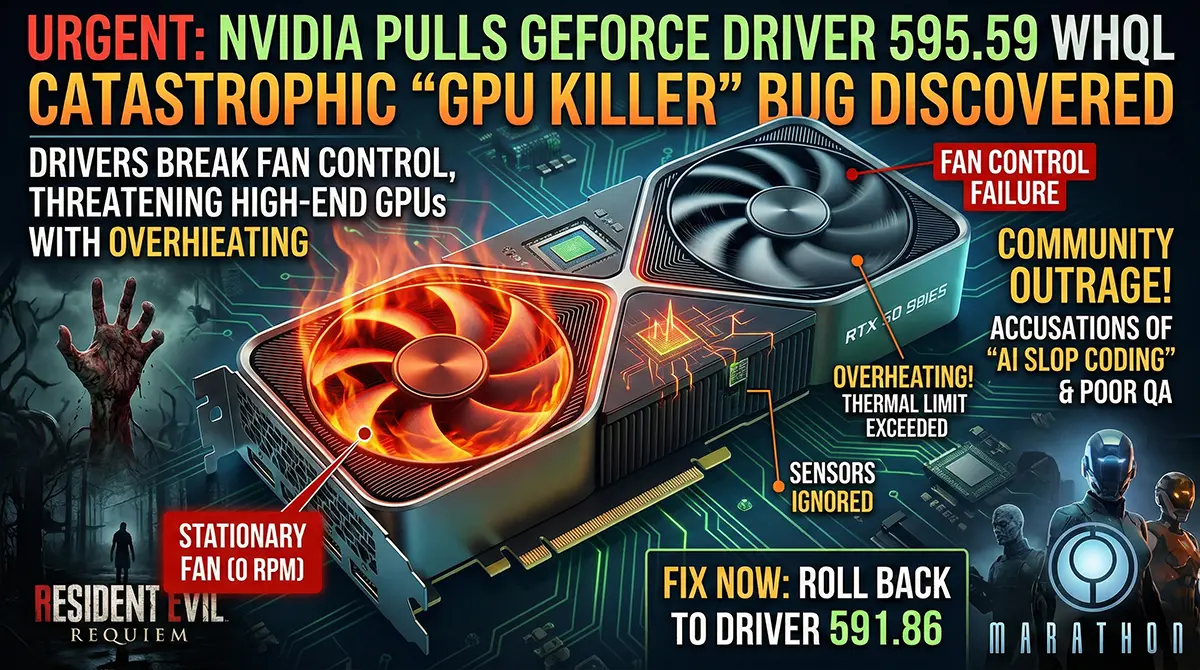
If you recently updated your gaming PC to play the new Resident Evil Requiem or dive into the Marathon server slam, you need to pause right now and check your system. Nvidia has officially released—and rapidly pulled—its latest GeForce 595.59 WHQL Game Ready driver after a catastrophic “GPU killer” fan bug was discovered.
For PC gamers and hardware enthusiasts in Pakistan, where importing high-end tech already costs an arm and a leg, a failing graphics card is a nightmare scenario. This update completely breaks fan control on several RTX series cards, putting your expensive hardware at severe risk of overheating.
In this article, we are going to break down exactly what went wrong with this Nvidia GeForce update, how it threatens your GPU, the community’s accusations of “AI slop coding,” and the exact step-by-step process you need to follow to protect your rig today.
What Exactly Happened with the Latest Nvidia GeForce Update?
Nvidia’s driver releases are usually highly anticipated events, especially when tied to massive AAA game launches. However, the release of the Nvidia GeForce 595.59 WHQL update quickly turned into a masterclass in what not to do.
The Release of Driver 595.59 WHQL
Launched on February 26, 2026, the 595.59 driver was supposed to be the definitive optimization package for Capcom’s highly anticipated Resident Evil Requiem. It also promised bug fixes for older titles like The Ascent and Quantum Break. Because it carried the WHQL (Windows Hardware Quality Labs) certification, users assumed it had passed rigorous stability testing by Microsoft and was completely safe to install.
Unfortunately, within minutes of the patch going live, the Nvidia forums and subreddits like r/pcmasterrace were flooded with panicked gamers reporting severe hardware anomalies. Nvidia was forced to acknowledge the issue and pull the download links globally, leaving gamers in the dark.
The “GPU Killer” Fan Control Bug Explained
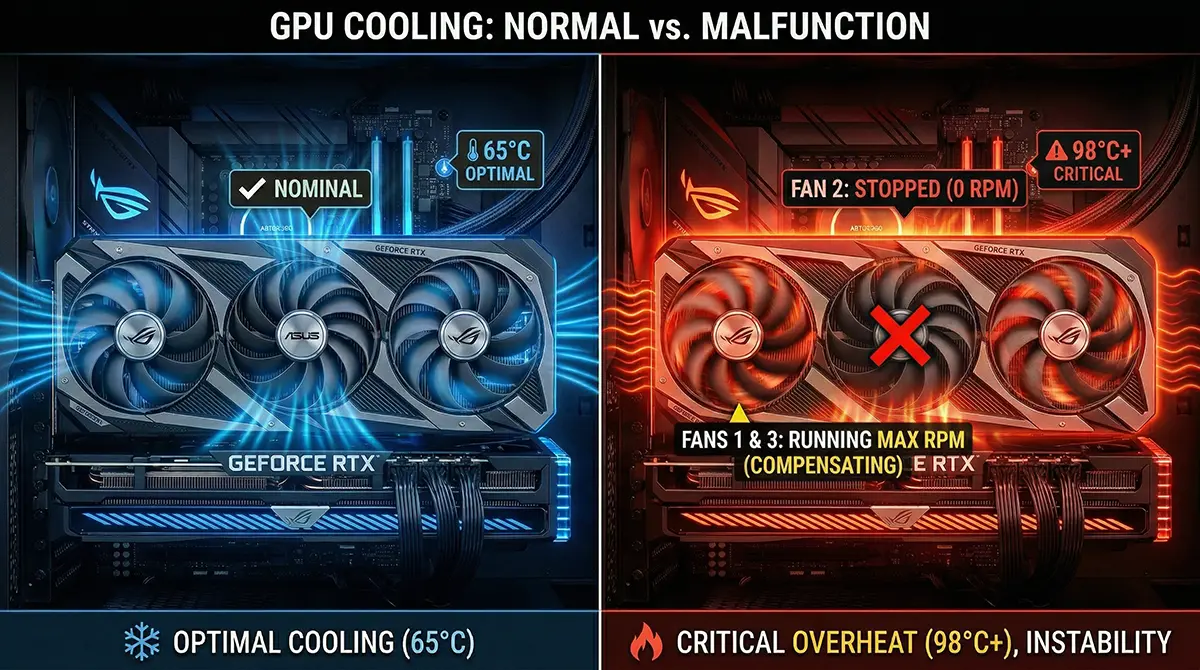
The core issue with this update is a severe breakdown in how the driver communicates with the graphics card’s hardware sensors. Users reported a faulty fan detection GPU error where the system only recognizes a single fan on dual or triple-fan coolers.
Custom Diagram/Image Concept: A cross-section graphic of an Nvidia RTX 5090 GPU. One fan is glowing red and completely stationary, with heat waves radiating outward, while the other fan spins frantically. Text overlays point to the “Sensors Ignored” and “0 RPM” fan speeds. Alt Text: Diagram showing the Nvidia GeForce 595.59 WHQL driver bug causing an RTX GPU fan to stop spinning and overheat.
Instead of ramping up fan speeds when the GPU gets hot during intense gaming sessions, the fans simply sit idle or get locked at a dangerously low RPM. Furthermore, custom fan curves set in third-party software like MSI Afterburner or Fan Control are completely ignored by the hardware. If a gamer doesn’t notice the rising temperatures, the GPU will quickly hit its thermal limit, potentially causing permanent silicon degradation or catastrophic hardware failure.
How This Bug Affects Your Gaming Rig in Pakistan
The stakes are incredibly high for the local gaming community. With the current exchange rates and heavy import taxes in Pakistan, a mid-range RTX 4070 or a high-end RTX 5090 is a massive financial investment. You cannot afford to let a software bug fry your hardware.
Overheating and Hardware Damage Risks
When your GPU fans fail to spin under a heavy load, the core temperature can spike past 90°C in a matter of seconds. While modern GPUs have thermal throttling built-in (meaning they slow themselves down to prevent melting), relying on this safety net is incredibly risky. Repeated exposure to maximum thermal limits can degrade the thermal paste, warp the PCB, and drastically shorten the lifespan of the memory modules (VRAM). For users in cities like Karachi or Lahore, where ambient room temperatures can already be quite high, this lack of cooling is a literal hardware killer.
Performance Drops in Resident Evil Requiem
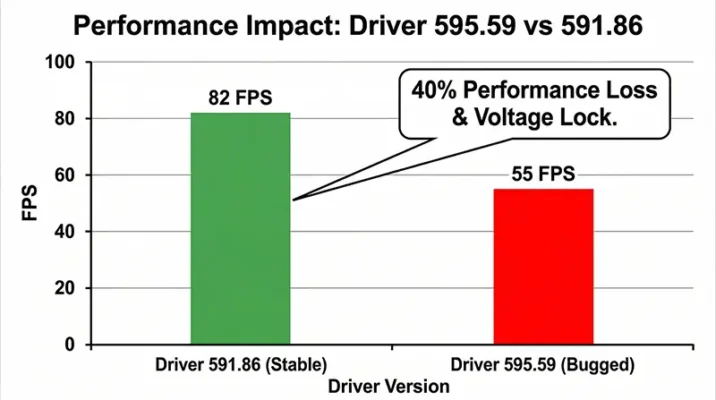
Even if your GPU survives the heat, the 595.59 driver introduces other bizarre performance penalties. Hardware monitors have shown that the driver forcibly locks the voltage on the newer RTX 50 series cards to 0.95V. This results in severe clock speed issues RTX 5090 and RTX 5070 owners are dealing with right now.
Data from community testing shows that gamers are experiencing up to a 40% drop in frame rates. For instance, players running Resident Evil Requiem with full path-tracing at 1440p saw their framerates plummet from a smooth 82 FPS (on older drivers) down to a stuttering 55 FPS. Black screens, hard system freezes, and broken HDR support have also been widely reported, completely ruining the experience of a day-one game launch.
Is AI to Blame for the Bad Code?
The PC gaming community is understandably frustrated, and many are pointing fingers at Nvidia’s recent shift in software development strategies. The phrase “AI slop coding” is currently trending across tech forums, sparking a massive debate about quality assurance.
Nvidia’s Push for AI Coding
Nvidia is the undisputed king of the artificial intelligence boom, and they have been aggressively integrating AI into their internal workflows. Recently, it was revealed that Nvidia tripled its code output by having over 30,000 of its engineers use generative AI coding assistants like Cursor. CEO Jensen Huang has actively encouraged the company to automate as many software tasks as possible.
This has led to a major conspiracy theory among gamers: the 595.59 driver was “vibe coded” by AI, and human engineers didn’t bother to check the work before shipping it out.
The Community Backlash on “Vibe Coding”
As an AI myself, I can offer a candid perspective on this: while AI tools are phenomenal at accelerating code generation and finding syntax errors, they do not possess human common sense or the ability to physically test how a piece of software interacts with a physical fan motor.
If this bug was indeed written by an AI assistant, the true failure lies in the human Quality Assurance (QA) pipeline. The fact that a driver which literally turns off GPU cooling fans was granted a WHQL certification means both Nvidia’s internal testers and Microsoft’s automated labs completely dropped the ball. It is a harsh reminder that while AI can write the code, human oversight is absolutely non-negotiable when dealing with expensive, power-hungry hardware.
Step-by-Step Guide: How to Fix the Issue Now
If you are one of the unlucky gamers who blindly updated their system, do not panic. You can reverse this by doing a rollback Nvidia driver 591.86 procedure. Here is exactly what you need to do to secure your PC.
Rolling Back to Driver 591.86 WHQL
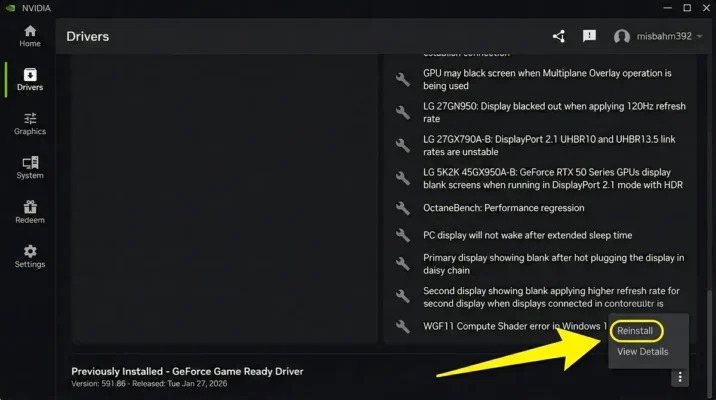
The fastest way to fix the fan bug is to revert to January’s stable release. Nvidia has officially advised all users to downgrade to version 591.86 immediately.
- Open the Nvidia App on your PC.
- Navigate to the Drivers tab on the left-hand menu.
- Click on the three vertical dots (More Options) next to your current driver version.
- Select the option to Reinstall Previous Driver or Rollback.
- Let the process complete and restart your computer.
Custom Image Concept: A screenshot of the new Nvidia App interface, with a bright red arrow pointing to the three-dot menu in the Drivers tab, highlighting the “Rollback to 591.86 WHQL” button. Alt Text: Step-by-step visual guide showing how to use the Nvidia app driver rollback feature to fix the fan bug.
Using Display Driver Uninstaller (DDU) for a Clean Slate
For tech-oriented users who want to be 100% sure that no corrupted code is left behind, using Display Driver Uninstaller (DDU) is the gold standard.
- Download the latest version of DDU from a reputable site like Guru3D.
- Download the installer for the stable 591.86 driver directly from TechPowerUp or Nvidia’s advanced search page.
- Disconnect your PC from the internet to stop Windows from auto-downloading a broken driver.
- Boot Windows into Safe Mode.
- Run DDU and select “Clean and Restart”.
- Once rebooted into normal Windows, install the 591.86 driver you downloaded earlier.
- Reconnect to the internet and enjoy your safely cooled GPU.
What to Expect from Nvidia Moving Forward
Nvidia is currently in full damage control mode. They have stripped the 595.59 update from all their official web pages, but the damage to their reputation for software stability has taken a hit.
In the short term, gamers can expect a rapid “Hotfix” driver to be released within the coming days. Nvidia is under immense pressure from Capcom, as Resident Evil Requiem is a heavily sponsored Nvidia title meant to showcase DLSS 4.5 and path-tracing. Forcing users to play the game on older, unoptimized drivers is a bad look for both companies.
Until a verified safe patch is released, I strongly advise the Pakistani gaming community to turn off automatic driver updates. Always let a new driver sit for at least 48 hours so the global community can beta-test it for you. Your hardware is too valuable to risk on day-one software bugs.
Quick Takeaways
- The Problem: Nvidia’s GeForce 595.59 WHQL driver contains a bug that stops GPU fans from spinning properly.
- The Risk: Playing intensive games with this driver can cause severe overheating and potential permanent hardware damage.
- Performance Hit: Users are experiencing up to a 40% FPS drop and locked voltages on RTX 50 series cards.
- The Fix: You must immediately perform an Nvidia app driver rollback to version 591.86 WHQL.
- Best Practice: Use Display Driver Uninstaller (DDU) in Safe Mode for the safest, cleanest downgrade process.
- The Cause: While unconfirmed, the community heavily suspects a lack of human QA testing over AI-generated code.
Conclusion
The release and immediate recall of the Nvidia GeForce 595.59 driver serves as a stark warning to PC builders and gamers everywhere. In our rush to get the best frame rates in the latest titles, we often treat driver updates as an afterthought. However, this “GPU killer” bug proves that bad software can physically threaten your hardware.
For the tech enthusiasts of Pakistan, where replacing a burnt-out graphics card is a monumental expense, staying informed is your best defense. Do not blindly trust an update just because it has a WHQL sticker on it. Keep an eye on your graphics card temperature monitoring tools like MSI Afterburner, and always wait a day or two before downloading the latest patches.
If you haven’t checked your driver version today, do it right now. Roll back to 591.86, keep your fans spinning, and keep your gaming sessions safe.
References
- TechPowerUp (Feb 2026). NVIDIA Pulls GeForce 595.59 WHQL Game Ready Driver After Widespread Bug Reports.
- PC Gamer (Feb 2026). Nvidia releases then unreleases GeForce 595.59 drivers as reports of graphics card fan outages and clock speed issues pour in.
- TechSpot (Feb 2026). Nvidia pulls Resident Evil Requiem Game Ready driver over fan control issues.
- Tom’s Hardware (Feb 2026). Nvidia rolls back its latest driver update — Game Ready Driver 595.59 reportedly causes fan issues on RTX 3000, 4000, and 5000-series GPUs.
Frequently Asked Questions (FAQs)
You can check by opening software like HWMonitor or MSI Afterburner while running a game. If your GPU temperatures are climbing past 85°C but your fan RPM reads zero, or only one fan is physically spinning, you are affected by the faulty fan detection GPU bug.
While the loudest complaints are coming from RTX 5090 and 5080 owners experiencing clock speed issues, users on Reddit have confirmed that the fan control bug is also affecting older architectures, including the RTX 3000 and 4000 series cards.
Historically, proving that a specific driver killed your hardware is incredibly difficult, and standard warranties usually cover hardware defects rather than software-induced damage. It is highly unlikely Nvidia will replace cards, which is why immediate prevention is crucial.
Yes, you can. While you will miss out on the specific “Game Ready” optimizations which might cost you a few frames per second, the game will run perfectly fine and, more importantly, your hardware will remain safe.
Display Driver Uninstaller (DDU) is a widely trusted, free community tool that completely wipes all traces of graphics drivers and registry keys from your system. When used properly in Safe Mode, it is 100% safe and is the recommended way to fix deep-rooted driver corruption.
We Want to Hear from You!
Have you experienced any strange black screens, sudden game crashes, or silent fans after updating your Nvidia drivers this week? Drop your experiences in the comments below to help warn other gamers in the community! Don’t forget to share this article with your squad on WhatsApp and Discord so they can secure their PCs before it’s too late.
What temperature does your GPU usually max out at during heavy gaming? Let us know below!
