

Hardware
Stop the Melting: MSI’s 2026 RTX 5090 Protection & Safety Fix Revealed

Jan
MSI RTX 5090 protection is no longer just a luxury feature—it is a necessity. If you are one of the lucky few to own an NVIDIA RTX 5090, you are likely living with a constant, nagging fear. It isn’t just about the massive price tag; it is about the fire hazard lurking inside your case.
Since its launch, the flagship GPU has been plagued by the same melting connector issues that haunted the previous generation. However, with the 5090’s massive power draw, the risk is significantly higher. Builders worldwide have been desperate for a real solution beyond just “pushing the cable harder.”
In a major announcement at CES 2026, MSI finally provided the answer. The company unveiled the world’s first power supply units featuring “Proactive and Instant Protection,” designed specifically to stop your 12V-2×6 cables from turning into molten plastic. Here is everything you need to know about the new MPG Ai1300TS and Ai1600TS units and why they might be the only PSUs you should trust in 2026.
Why Do RTX 5090 Cables Keep Melting?
To understand the solution, we must first understand the problem. The “invisible killer” of modern graphics cards is the sensitivity of the 12V-2×6 connector. If the cable is not plugged in perfectly flush, or if there is uneven tension on the wires, resistance spikes in specific pins.
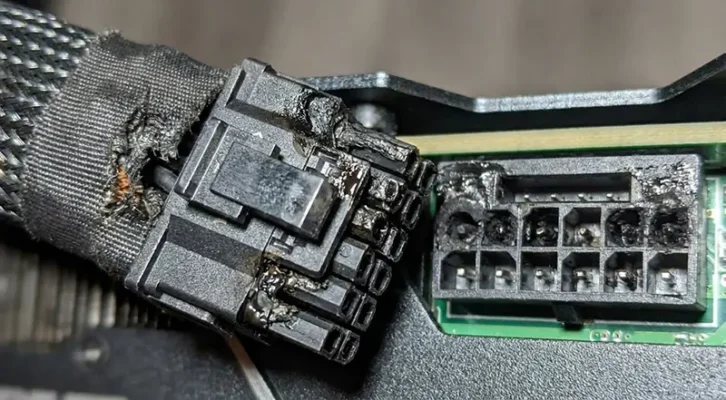
When resistance rises, heat builds up rapidly. In standard power supplies, the unit continues to push electricity blindly until the plastic housing melts or the connector fuses shut. With the RTX 5090 pulling significantly more sustained power than the 40-series, the margin for error is effectively zero. Until now, users had to rely on luck and visual inspections to ensure safety.
MSI’s Solution: GPU Safeguard+ Technology
MSI has introduced a game-changing feature called “GPU Safeguard+.” This isn’t just a marketing buzzword; it is a hardware-level safety mechanism integrated into their new flagship power supply units.
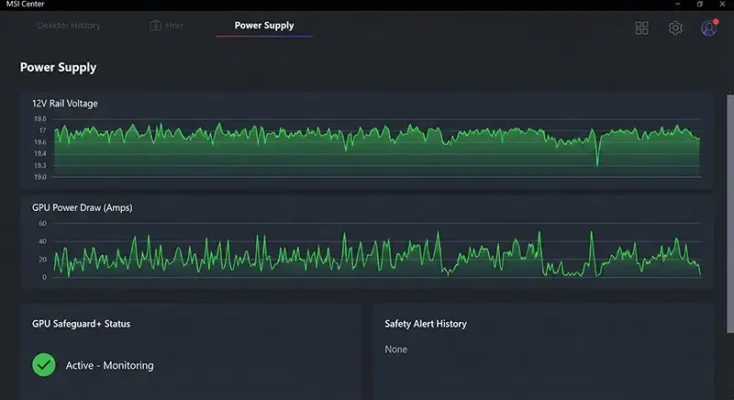
Unlike traditional units that only monitor total power output, the new Ai1300TS (1300W) and Ai1600TS (1600W) units utilize active sensing technology. This system solves the “invisible problems” that lead to hardware failure.
Note: This technology is particularly vital for regions with expensive hardware imports, making protection a top priority for enthusiasts in Pakistan.
How “Instant Protection” Works
The MSI “Instant Protection” system operates on three main pillars to ensure your rig stays safe in 2026:
-
Individual Pin Monitoring: The PSU monitors the real-time resistance and current of each individual wire in the 12V-2×6 cable. It doesn’t just look at the whole cable; it looks at every single pathway.
-
The “Kill Switch”: If the PSU detects that a specific pin is overheating or carrying an unsafe load (the first sign of a meltdown), it triggers a “Kill Switch.” This instantly cuts power to the system before physical damage can occur.
-
USB-C Data Link: These units feature a USB-C port that connects to your motherboard. This allows you to view live safety metrics via the MSI Center software, giving you a real-time health check of your GPU power delivery.
Technical Specs: Ai1300TS & Ai1600TS
These new units are built for the extreme demands of the RTX 5090.
| Feature | Specification |
|---|---|
| Models | MPG Ai1300TS (1300W) / Ai1600TS (1600W) |
| Efficiency | 80 Plus Titanium |
| Safety Feature | GPU Safeguard+ (Active Monitoring) |
| Cable Type | Yellow-Tipped 12V-2×6 (Visual Indicator) |
| Connectivity | USB-C Data Link for MSI Center |
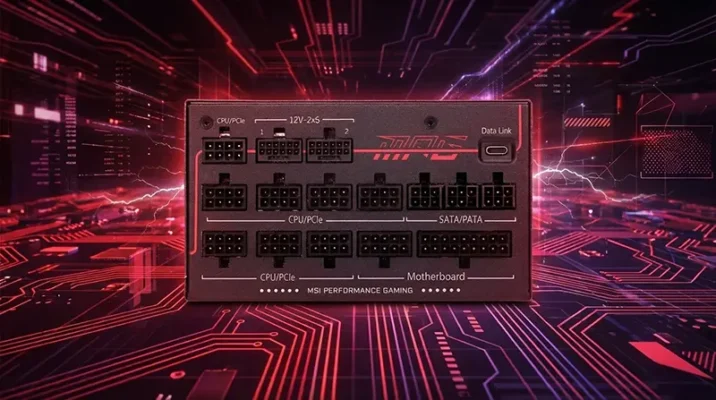
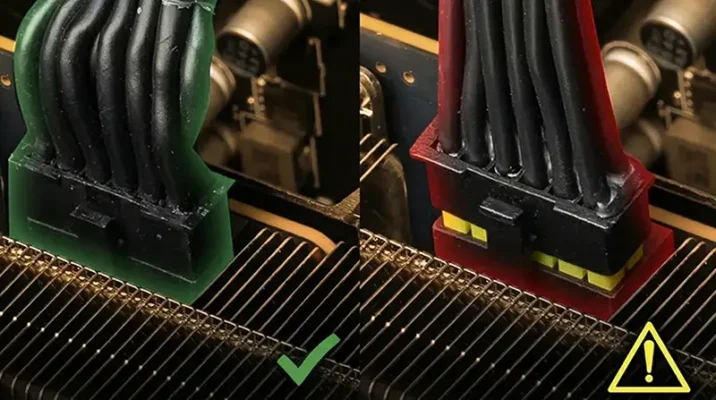
The “Yellow Safety Headers” are a simple but effective visual indicator. If you can see the yellow part of the connector, your cable is not plugged in fully. This simple design choice helps prevent user error before you even boot up.
Is This Upgrade Essential for Pakistani Builders?
For PC enthusiasts in Pakistan, the RTX 5090 represents a massive financial investment, often costing significantly more due to import duties and exchange rates. The risk of damaging such an expensive component due to a melting cable is a financial nightmare.
While local issues like voltage fluctuation are usually handled by stabilizers, the internal heat generation at the connector level is a different beast. An MSI PSU with active protection acts as a mandatory insurance policy. It ensures that your investment remains safe, regardless of how demanding your gaming or rendering workload becomes.
Conclusion: The Cost of Safety
Is it worth upgrading your power supply in 2026?
If you are sitting on a GPU that is currently valued at thousands of dollars, spending the extra money on a PSU that guarantees it won’t burn out is the smartest investment you can make. The fire hazard associated with high-power next-gen cards is real, but with MSI‘s new technology, it is finally preventable.
Frequently Asked Questions (FAQs)
While no technology offers a 100% guarantee, MSI’s new Ai1300TS and Ai1600TS units significantly reduce the risk. They use “GPU Safeguard+” technology to actively monitor individual pins on the 12V-2×6 connector. If a fault or unsafe temperature is detected, the PSU will trigger an audible alarm, send a software alert, and eventually cut power to the system to prevent physical damage.
Not necessarily, but it is highly recommended for maximum safety. The RTX 5090 is compatible with high-quality ATX 3.0 power supplies that meet its wattage requirements. However, older units lack the dedicated 12V-2×6 sensing pins and the “GPU Safeguard” active monitoring features found in MSI’s new 2026 lineup, meaning you lose that extra layer of protection against melting.
The yellow tip on the connector acts as a simple visual “fail-safe”. When plugging in your RTX 5090, if you can still see any part of the yellow plastic, the cable is not fully seated. A loose connection is the primary cause of resistance spikes and melting, so this design helps users ensure a perfect flush connection every time.
Yes. The new MPG Ai1300TS and Ai1600TS are fully backward compatible. The 12V-2×6 connector is physically compatible with the 12VHPWR port found on the RTX 40-series cards. You will still benefit from the unit’s high efficiency and general electrical protections, though the full “smart” monitoring features require the data link to be active.
“GPU Safeguard+” is the premium version found on the flagship Ai1300TS and Ai1600TS units. It includes real-time software monitoring via MSI Center and on-screen alerts. The standard “GPU Safeguard,” found on lower-tier models like the MAG A1200PLS, uses a hardware-based buzzer to warn you of faults but lacks the detailed software data link.
It is a mix of design sensitivity and user installation. While “user error” (not plugging the cable in fully) is a common cause, the 12V-2×6 and original 12VHPWR connectors have a very small margin for error compared to older cables. MSI’s solution addresses both by making it harder to plug in incorrectly (visual yellow tip) and safer if a fault does occur (active electronic monitoring).
Related Prodducts
GeForce RTX 50
GeForce RTX 50
GeForce RTX 50
