

News
Finally! How to Change Gmail Address 2025 Without Losing Data
Dec
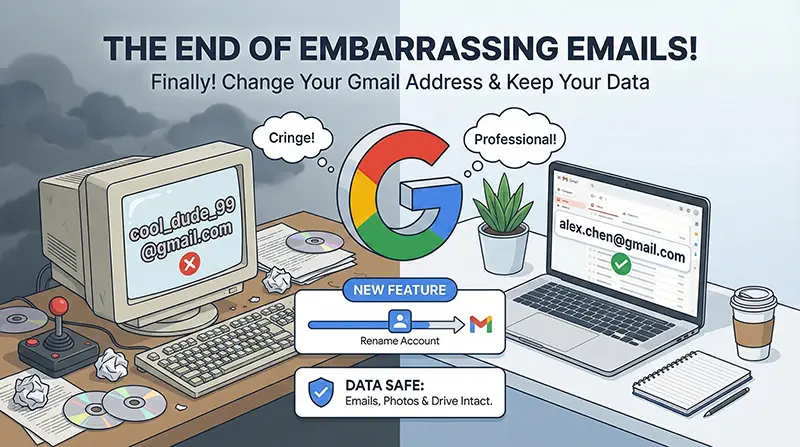
We all have that email address. You know the one. Maybe you created it when you were 12 years old. Maybe it’s cool_dude_99@gmail.com or princess_sparkle_xoxo@gmail.com. For years, you’ve been stuck with it. If you wanted a professional email, you had to create a brand new account and endure the nightmare of losing all your YouTube history, Google Photos, and Drive files.
But as of December 2025, Google has finally listened. A massive new feature is rolling out that allows users to Change Gmail Address 2025 style—meaning you can finally rename your primary email while keeping your entire digital life intact.
Here is everything you need to know about this massive Google email update.
Why You Need to Change Gmail Address 2025
For the last two decades, your Gmail address was the one unchangeable identifier in the Google ecosystem. You could change your name, your profile picture, and your password, but the text before the @gmail.com was permanent.
This rigidity caused major headaches for millions of users:
-
Professionalism: Applying for jobs with a username like
gamer_boy_RXoften led to immediate rejection. -
Life Changes: People who got married or changed their names were stuck with their “maiden name” emails forever.
-
Data Silos: To get a new name, you had to start a fresh account, effectively splitting your photos, emails, and purchase history across two different logins.
With the ability to change Gmail address 2025, these problems vanish. You can finally align your digital identity with your real-world persona without sacrificing years of data.
How the “Change Gmail Address” Feature Works
This new capability is a massive “Quality of Life” update. It is designed for anyone wanting to “rebrand” their digital life without the hassle of migration.
The core of this update is the Rename Gmail Account function. You can now go into your Google Account settings and replace your old handle with a new one (e.g., swapping anime_lover_2015 for firstname.lastname).
Unlike previous years where you had to forward emails from an old account to a new one, this happens inside the same account. Your login changes, your public address changes, but your data stays exactly where it is.
The Magic of Aliases: Will My Old Email Die?
The biggest fear users have when they look to change Gmail address 2025 is losing contact with people who only have their old email.
Here is the good news: When you make the switch, your old email address does not die. It automatically becomes an “Alias.”
One Inbox to Rule Them All

An alias acts like a permanent forwarder that lives inside your account.
-
Incoming Mail: Emails sent to your old embarrassing address (
princess_sparkle...) will still land in your new inbox (sarah.jones...). -
Continuity: You don’t need to notify your bank, your subscription services, or your grandma immediately. They can still reach you using the old address for as long as you like.
-
Signing In: You can even sign in to Google services using either the old or the new email.
The only difference is that your outgoing emails will finally look professional. When you hit reply, the recipient will see your new, clean email address.
Step-by-Step: How to Rename Gmail Account
If you are ready to ditch the cringe-worthy username, follow this guide. Please note that this feature is rolling out in waves, so ensure your app is updated.
Here is how to Change Gmail Address 2025:
-
Open Google Settings: Open the Gmail app or Google App on your phone.
-
Manage Account: Tap your profile picture in the top right corner and select Manage your Google Account.
-
Navigate to Personal Info: Look for the tab labeled Personal Info on the navigation bar.
-
Find Email Settings: Scroll down to the Contact Info section and tap on Email.

-
Edit Primary Email: Tap on Google Account Email. If the feature is active for you, you will see a pencil/edit icon next to your email address.
-
Enter New Address: Type in your desired new email handle.
-
Verify: Google will ask you to verify your password and may send a confirmation code to your recovery phone number.
Once verified, the switch is instant. Your inbox will update to display the new address immediately.
The Catch (Read This Before You Switch)
Google has implemented strict rules to prevent spammers and bad actors from abusing this flexibility. Before you rush to change Gmail address 2025, be aware of these limitations:
-
The 12-Month Rule: You can only change your email address once every 12 months. Choose your new name carefully, because you will be stuck with it for a year.
-
Lifetime Limit: You can only change your address a maximum of 3 times in the account’s lifetime. This is to prevent confusion and fraud.
-
No Take-Backs: Once you switch, you cannot create a new, separate Google account with your old name for at least a year. It stays locked to you as an alias to prevent identity theft.
Frequently Asked Questions
Yes! As of the December 2025 update, you can rename your existing account. This keeps all your emails, Drive files, and YouTube history in one place.
Nothing bad! Your old address becomes an alias. Any email sent to the old address is automatically delivered to your new inbox.
Yes, this is a free update available to all personal Google accounts. Workspace (business) accounts may have different administrative rules.
The Verdict
This is the update we have been waiting two decades for. Whether you are applying for high-level jobs or just tired of spelling out a complicated username to cashiers, the ability to Change Gmail Address 2025 is a massive win for users.
Check your settings today and see if you can finally reclaim your digital identity!
